> ## Documentation Index
> Fetch the complete documentation index at: https://www.oplane.io/docs/llms.txt
> Use this file to discover all available pages before exploring further.
# Security posture analytics dashboard
> Track your organisation's security posture with the Analytics dashboard: monitor requirement resolution, team adoption, and remaining coverage gaps.
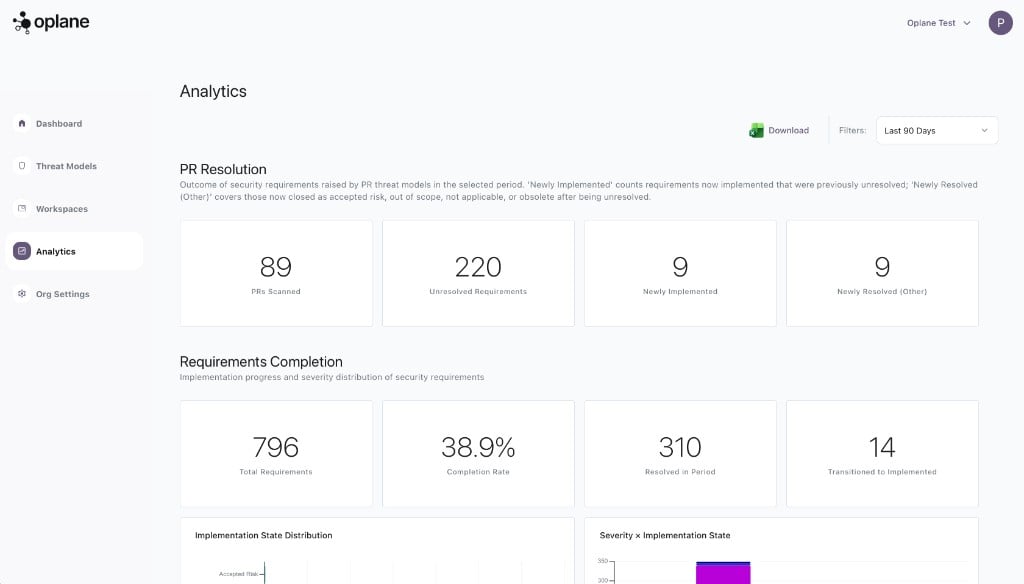
The Analytics dashboard gives you a high-level view of your organisation's security posture — how requirements are being resolved, how adoption is growing, and where gaps remain.
 ## Dashboard Sections
### PR Resolution
Tracks the outcome of security requirements raised by PR threat models in the selected period. Shows how many PRs were scanned, how many unresolved requirements remain, and how many were newly implemented or resolved.
* **PRs Scanned** — Total pull requests analysed
* **Unresolved Requirements** — Requirements still open
* **Newly Implemented** — Requirements that moved to implemented
* **Newly Resolved (Other)** — Closed as accepted risk, out of scope, or not applicable
### Requirements Completion
Implementation progress across all security requirements in your organisation:
* **Total Requirements** — All requirements generated
* **Completion Rate** — Percentage resolved (implemented + accepted risk + out of scope + not applicable)
* **Resolved in Period** — Requirements resolved in the selected time window
* **Transitioned to Implemented** — Requirements that moved from unresolved to implemented
Includes charts for implementation state distribution and a severity vs. implementation state breakdown so you can spot critical unresolved requirements at a glance.
### Adoption
Measures how many repositories in your organisation have threat modeling enabled:
* **Covered Repos** — Repositories with active managed workspaces
* **Uncovered Repos** — Repositories without threat modeling
* **Onboarded in Period** — Newly connected repositories
A coverage-over-time chart shows adoption trends and a review mode breakdown shows how repositories are configured (automatic vs. on-request).
### Threat Model Sources
Shows where your threat models come from:
* **PR Analysis** — Generated automatically from pull request reviews
* **Agent (MCP)** — Created manually via MCP in your IDE
Includes a monthly breakdown and an MCP client distribution chart showing which tools your team uses (Cursor, Claude Code, etc.).
## Filtering
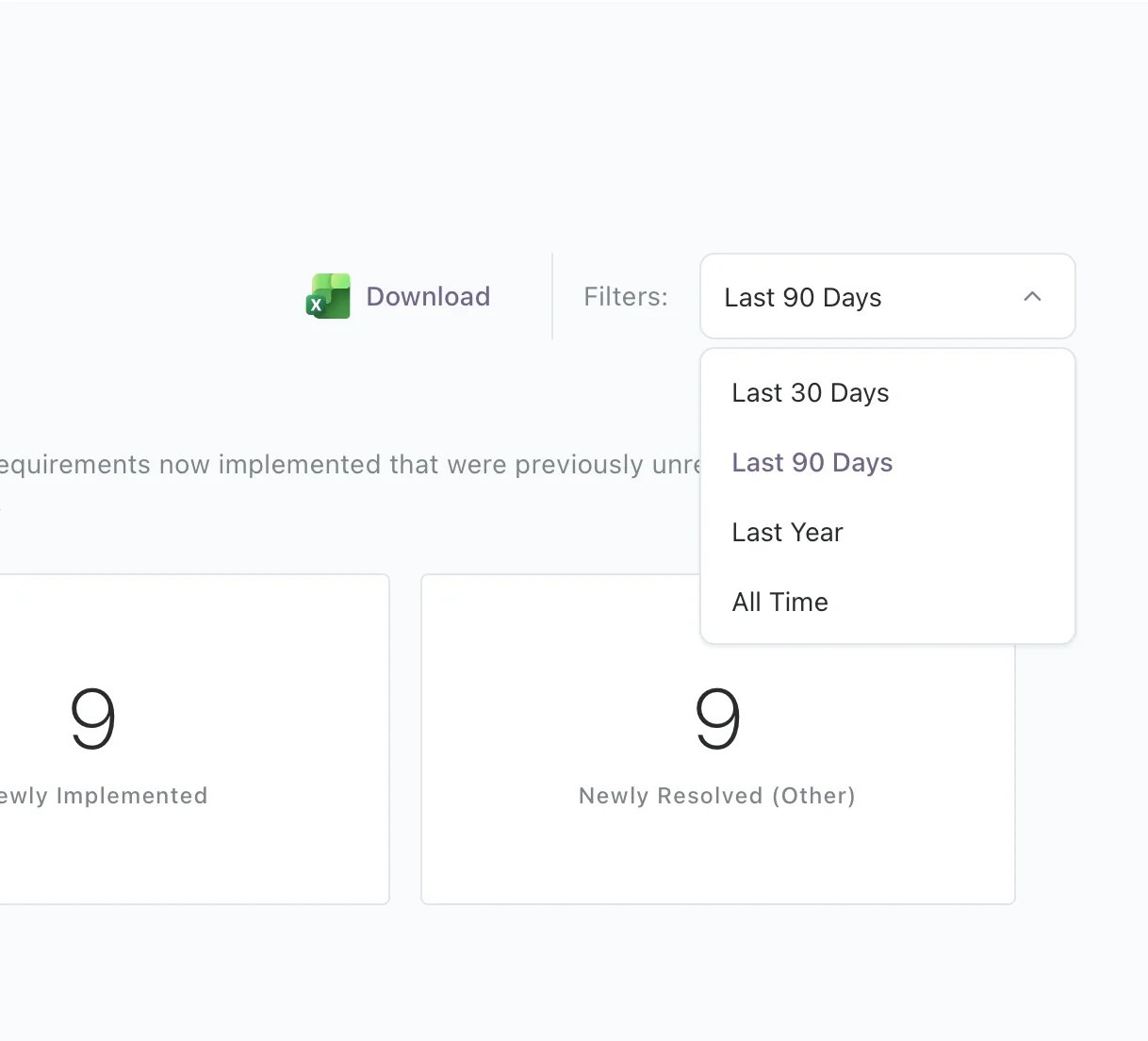
Use the time period filter in the top right to adjust the dashboard view:
* Last 30 days
* Last 90 days
* Last year
* All time
## Dashboard Sections
### PR Resolution
Tracks the outcome of security requirements raised by PR threat models in the selected period. Shows how many PRs were scanned, how many unresolved requirements remain, and how many were newly implemented or resolved.
* **PRs Scanned** — Total pull requests analysed
* **Unresolved Requirements** — Requirements still open
* **Newly Implemented** — Requirements that moved to implemented
* **Newly Resolved (Other)** — Closed as accepted risk, out of scope, or not applicable
### Requirements Completion
Implementation progress across all security requirements in your organisation:
* **Total Requirements** — All requirements generated
* **Completion Rate** — Percentage resolved (implemented + accepted risk + out of scope + not applicable)
* **Resolved in Period** — Requirements resolved in the selected time window
* **Transitioned to Implemented** — Requirements that moved from unresolved to implemented
Includes charts for implementation state distribution and a severity vs. implementation state breakdown so you can spot critical unresolved requirements at a glance.
### Adoption
Measures how many repositories in your organisation have threat modeling enabled:
* **Covered Repos** — Repositories with active managed workspaces
* **Uncovered Repos** — Repositories without threat modeling
* **Onboarded in Period** — Newly connected repositories
A coverage-over-time chart shows adoption trends and a review mode breakdown shows how repositories are configured (automatic vs. on-request).
### Threat Model Sources
Shows where your threat models come from:
* **PR Analysis** — Generated automatically from pull request reviews
* **Agent (MCP)** — Created manually via MCP in your IDE
Includes a monthly breakdown and an MCP client distribution chart showing which tools your team uses (Cursor, Claude Code, etc.).
## Filtering
Use the time period filter in the top right to adjust the dashboard view:
* Last 30 days
* Last 90 days
* Last year
* All time
 ## Export
Click **Download** to export the dashboard data for reporting or sharing with stakeholders.
## Export
Click **Download** to export the dashboard data for reporting or sharing with stakeholders.